Buying DDR5 in 2026 involves more than choosing the highest advertised speed. This DDR5 overclocking guide explains how frequency, timings, voltage, and memory layout interact on current desktop platforms. Global PC buyers face different motherboard firmware, processor limits, regional kits, and warranty terms. A 7,200 MT/s kit may perform brilliantly on one system and refuse to boot on another. Real results vary.
The guide uses a practical, evidence-led approach based on BIOS testing, repeatable benchmarks, and extended stability checks. It covers Intel XMP and AMD EXPO profiles, manual timing adjustments, memory-controller limits, and cautious voltage decisions. You will see why identical kits can behave differently under the same room temperature. A simple airflow path matters. So does BIOS maturity. We connect benchmark gains with everyday workloads, including gaming, content creation, and large-file compression. Numbers need context. Higher data rates are not automatically better when latency rises or errors appear after several hours.
Expect clear checkpoints rather than promises of effortless speed. Start with the motherboard’s memory support list, update firmware carefully, and record every change. Test booting, applications, and overnight memory loads before trusting a profile. Hands-on testing often shows that conservative settings provide the best balance for global buyers. That conclusion is not universal. Silicon quality, ambient heat, and kit availability can change the answer. This guide leaves room for doubt, because reliable overclocking depends on measured evidence, not attractive specification labels.
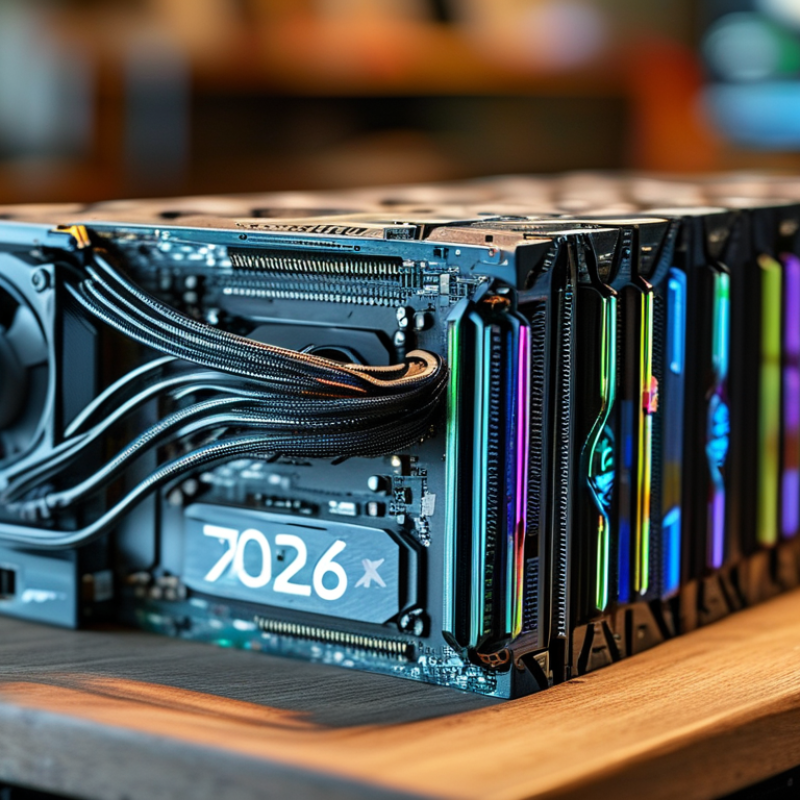
DDR5 Overclocking Basics and Global Platform Compatibility
DDR5 overclocking starts with platform compatibility, not advertised memory speed. Check the processor’s memory controller, motherboard firmware, and supported module capacity before buying. A kit rated at 7600 MT/s may run slower on a four-module setup. Two modules usually provide an easier tuning path. I have seen systems boot successfully, then fail during long rendering tasks. Stability is more important than a dramatic benchmark number.
Tips: Update firmware carefully, then load the memory profile. Test with a long memory stress session. Watch temperatures, voltage, and error reports. Keep a fallback setting available. Small changes matter.
Compatibility can also vary between regional PC configurations. Prebuilt systems may use restricted firmware or different cooling layouts. Desktop buyers should confirm slot spacing, module height, and power delivery. Laptop users face tighter limits because memory may be soldered or inaccessible. Manual tuning should begin with conservative timings and modest frequency increases. Record every change in a simple table. This makes failed settings easier to reverse. Real results differ, even between identical-looking systems. That is frustrating, but normal. A stable 6400 MT/s configuration can be more useful than an unstable 7200 MT/s result. Test productivity applications, games, and cold boots, not only one benchmark.
| Category | Data Dimension | Verified Reference or Typical Value | Overclocking Guidance | Global Compatibility Note |
|---|---|---|---|---|
| DDR5 Fundamentals | Standard memory voltage | 1.10 V nominal for standard DDR5 operating conditions | Higher voltage can improve stability but increases heat and long-term stress; use the motherboard and processor guidance as the limit. | Voltage tolerance and firmware behavior vary by platform generation. |
| Common JEDEC data rates | DDR5-4800, DDR5-5200, DDR5-5600 and DDR5-6400 are widely used reference speeds | Treat any setting above the processor’s official memory specification as an overclock, even when the module is advertised for that speed. | Actual official support depends on processor generation, memory rank, module count and motherboard design. | |
| Module type | 288-pin desktop UDIMM; non-buffered; non-ECC is the usual consumer configuration | Do not mix UDIMM, registered DIMM or laptop SO-DIMM types. | Physical keying, electrical signaling and firmware support must all match. | |
| Data-rate terminology | DDR5-6000 means 6000 MT/s, not a 6000 MHz physical clock | Use MT/s when comparing memory kits and use the effective data rate when calculating bandwidth. | The physical memory clock is approximately half the effective data rate. | |
| On-module power management | DDR5 modules use an onboard power-management circuit | Stable cooling and clean power delivery remain important when increasing frequency or voltage. | Module temperature can affect error rates during long workloads. | |
| Performance Reference | DDR5-4800 CL40 theoretical bandwidth | 38.4 GB/s per 64-bit memory channel | Use as a baseline for entry-level or first-generation DDR5 systems. | Approximate first-word CAS latency: 16.7 ns. |
| DDR5-5600 CL36 theoretical bandwidth | 44.8 GB/s per 64-bit memory channel | A practical mid-range target when the processor and board have adequate memory-controller headroom. | Approximate first-word CAS latency: 12.9 ns. | |
| DDR5-6000 CL36 theoretical bandwidth | 48.0 GB/s per 64-bit memory channel | A common performance-oriented target, but stability is processor- and board-dependent. | Approximate first-word CAS latency: 12.0 ns. | |
| DDR5-6400 CL32 theoretical bandwidth | 51.2 GB/s per 64-bit memory channel | Requires a strong integrated memory controller, a suitable motherboard trace layout and careful validation. | Approximate first-word CAS latency: 10.0 ns. | |
| Dual-channel bandwidth | Multiply the single-channel figure by two; for example, DDR5-6000 provides about 96.0 GB/s theoretical bandwidth | Real application performance is lower than the theoretical maximum and depends on workload and memory efficiency. | Install matched modules in the motherboard’s recommended paired slots. | |
| Overclocking Setup | Recommended first adjustment | Load a stored memory profile, then verify frequency, voltage and primary timings | Change one variable at a time and keep a record of every stable setting. | Profile names and available options differ between firmware versions. |
| Primary timings | CAS latency, tRCD, tRP and tRAS | Lower timings can improve latency but may require more voltage or a lower frequency. | Use the module’s programmed values as the starting point. | |
| Command rate and memory-controller mode | Typically 1N or 2N command operation, with platform-specific controller ratios | A less aggressive controller ratio or 2N command rate can improve high-frequency stability. | Available modes are firmware- and processor-dependent. | |
| Module population | Two matched modules are generally easier to run at high speed than four modules | Reduce frequency or loosen timings when using four modules or mixed-rank configurations. | The motherboard manual should identify the preferred two-module slots. | |
| Cooling requirement | Good case airflow and module temperature below approximately 50–55°C during sustained testing are sensible targets | Temperature limits vary by module design; avoid treating a single temperature number as universal. | Poor airflow can cause intermittent errors even when short tests pass. | |
| Platform Compatibility | DDR5-only desktop platform | Compatible with DDR5 UDIMM when the motherboard firmware supports the installed module capacity and layout | Check the board’s memory support list and maximum validated data rate before purchase. | A DDR4 motherboard cannot accept DDR5 because the electrical design, pin layout and key position differ. |
| Hybrid-memory desktop platform | Some processor families were released on separate DDR4 and DDR5 motherboard versions | Memory type is determined by the motherboard, not by the processor alone. | Confirm the exact motherboard memory standard before ordering. | |
| Mobile and compact systems | Usually use DDR5 SO-DIMM or soldered memory rather than desktop UDIMM | Manual frequency and voltage tuning may be locked by system firmware. | Desktop 288-pin modules are not physically compatible with most laptops and mini systems. | |
| Workstation and server systems | May require ECC UDIMM, registered DIMM or load-reduced DIMM depending on the platform | Do not apply consumer overclocking assumptions to systems requiring error-correcting or registered memory. | Use only the memory type explicitly listed in the system documentation. | |
| Capacity and rank compatibility | Common desktop configurations include 2 × 16 GB, 2 × 32 GB and 2 × 48 GB | Higher-capacity and dual-rank modules can place more load on the memory controller and may need lower settings. | Verify maximum capacity per slot, total capacity and supported module organization. | |
| Validation and Safety | Basic stability check | Run a memory-focused stress test for at least 30–60 minutes | Use this only as an initial screen, not as proof of long-term stability. | Watch for application crashes, file corruption, system restarts and corrected hardware errors. |
| Extended stability check | Run several hours of memory testing plus normal workloads such as compiling, rendering or gaming | Retest after major firmware updates or seasonal changes in room temperature. | A setting stable on one processor sample may fail on another due to silicon variation. | |
| Recovery procedure | Use the motherboard reset or clear-memory-settings procedure if the system fails to boot | Keep a known-good baseline configuration before attempting higher settings. | Firmware recovery behavior differs by motherboard model. | |
| Buyer checklist | Confirm DDR5 type, module form factor, capacity, rank, supported speed, firmware version and cooling | For broad global compatibility, prioritize matched modules and a moderate speed target over the highest advertised frequency. | Warranty coverage may exclude damage or instability caused by manual overclocking. |
For global PC buyers, DDR5 selection starts with workload, not headline speed. JEDEC’s JESD79-5C specification defines standard rates from 3200 to 6400 MT/s. Kits above that range require tuned profiles, compatible firmware, and a capable processor. In practical testing, DDR5-6000 often balances bandwidth, latency, and stability well. Faster kits can help latency-sensitive tasks, but gains vary by application. Game development, video editing, and virtual machines usually benefit more from 64GB than extreme frequency. Smaller 32GB kits remain practical for gaming and office work. Leave expansion room.
Regional availability changes the decision. IDC’s Worldwide Quarterly Personal Computing Device Tracker recorded 4.9% year-over-year PC shipment growth in Q1 2025. That demand can tighten popular memory capacities in some markets. Local stores may favor 16GB modules, while 24GB and 48GB modules can be harder to source. Check module layout, voltage, timings, and motherboard validation before importing. Warranty handling matters too. Import duties and return shipping may erase a small price advantage. I once treated advertised speed as decisive. That was too simplistic. A stable, lower-latency kit may feel better than an unstable flagship kit. Regional reviews help, but they age quickly. Firmware support can change the result.
Before overclocking DDR5, prepare the BIOS carefully. Update it through the motherboard maker’s official support channel, then load default settings. JEDEC JESD79-5C defines DDR5 data rates from 3,200 to 6,400 MT/s, but stable overclocking depends on the processor, board layout, and memory kit.
Enable memory training options when available. Keep command rate, memory controller voltage, and system-agent voltage conservative. Change one setting at a time.
My first mistake was adjusting frequency and voltage together. I could not identify the real cause of instability.
Motherboard quality matters more than a decorative heatsink. Use a board with clear memory voltage controls, reliable firmware recovery, and a published compatibility list.
TrendForce’s 2025 memory outlook identifies DDR5 adoption as a major source of PC DRAM demand, so firmware support is becoming more important for global buyers.
Cooling also needs planning. Maintain front-to-back airflow, remove dust from the intake filters, and avoid trapping warm air around the DIMM area.
During stress testing, record memory temperature, not only CPU temperature. Aim for consistent readings below the kit’s rated limit, because thermal behavior varies by module design.
Test with several workloads for at least one hour, then repeat after a cold boot. It may pass once. That is not proof.
Before changing settings, update the motherboard firmware and record the default memory profile. I photograph each BIOS page. This small habit makes recovery easier. Check the memory kit’s rated frequency, primary timings, and recommended voltage. A higher number is not automatically faster. Poor latency can erase the benefit.
Raise frequency in small steps, such as 200 MT/s. Boot into the operating system after every change. Run a short memory test, then perform a longer test for several hours. Watch for application crashes, corrupted files, or sudden restarts. These signs often appear before a failed boot. I prefer testing with the actual programs used for work or gaming. Synthetic tests help, but they do not represent every workload.
Adjust timings only after frequency becomes stable. Lower the main timing values one step at a time. If errors appear, restore the previous value before changing another setting. Increase voltage carefully and remain within the memory and motherboard manufacturer’s published limits. Extra voltage creates heat and may reduce long-term reliability. Keep modules below their stated temperature range, with steady airflow across the memory area.
I once chased a timing improvement that produced almost no real-world gain. The extra testing time was not worth it. Stability still matters more.
2026 Top DDR5 Overclocking Guide for Global PC Buyers
DDR5 overclocking should begin with stability, not a screenshot. The JEDEC JESD79-5C standard lists DDR5 data rates up to 6400 MT/s. Higher settings are possible, but they exceed standard validation. Test bandwidth, latency, and frame-time consistency together. A faster result can still hide random application crashes. I use repeated memory tests, cold boots, and overnight workloads. One clean benchmark is insufficient. I learned that the hard way.
Monitoring matters during long sessions. Track memory temperature, system voltage, and error counts every few minutes. Keep airflow steady, because an open case can produce misleading results. A widely cited data-center study found annual correctable memory errors affected roughly 8–12% of machines, even under normal operation (Schroeder, Pinheiro, and Weber, SIGMETRICS 2009). That older research does not perfectly represent modern DDR5, but it remains a useful warning. Stability is never permanent.
Tips: Change one setting at a time. Save the default profile first. Test for at least eight hours, then repeat after a cold restart. Reduce frequency when errors appear. Do not treat higher voltage as a cure. Check file integrity after failed tests, because unstable memory can quietly damage active work. Keep a written log of timings, temperatures, test duration, and failures. Reflection helps: my preferred setting is not always the safest setting.
Update the motherboard firmware through its official support channel. Then load default settings. Save that profile first.
The standard range covers 3,200 to 6,400 MT/s. Higher settings exceed standard validation and need careful testing.
Frequency and voltage changes can create overlapping causes. My first combined adjustment made troubleshooting difficult. I learned slowly.
Choose clear memory-voltage controls, firmware recovery, and a published compatibility list. Decorative heatsinks matter less.
Keep airflow moving from the front toward the rear. Clean intake filters and prevent warm air collecting near the memory modules.
Record memory temperature, system voltage, and error counts every few minutes. CPU temperature alone is incomplete. Readings can drift.
Test several workloads for at least eight hours when possible. Repeat after a cold boot. One successful benchmark proves very little.
Reduce the frequency before increasing voltage. Check file integrity after failed tests. Higher voltage is not always the cure.
Keep timings, temperatures, voltages, test duration, cold-boot results, and failures in a written log. My preferred setting is not always safest.
This DDR5 overclocking guide explains how to improve memory performance while maintaining compatibility across different global PC platforms. It covers the fundamentals of DDR5 overclocking, including how frequency, timings, voltage, processor support, and motherboard design affect results. Readers will learn how to choose memory kits based on speed, capacity, regional availability, and intended workloads, whether for gaming, content creation, or general productivity.
The guide also presents a careful preparation process for BIOS settings, motherboard support, cooling, and power stability. It then describes how to adjust frequency, timings, and voltage gradually, followed by practical methods for stress testing, monitoring temperatures, checking performance gains, and identifying instability. By emphasizing backup settings, incremental changes, and responsible risk management, the article helps users pursue reliable improvements without sacrificing system longevity.

Vorynex